
Dreemy AI: Turn Character Ideas into Stories on Screen
Give an original character a setting and a reason to be there. Create the defining still with Seedream 5 Pro, then carry it into Wan 3.0 and direct a small gesture or camera move. Try an example before building your own opening shot.
Give the story a frame
Build a character’s first appearance, a telling prop and an opening scene in Kling 4.0. Shape the still with Seedream 5 Pro, then use Wan 3.0 to give the moment a glance, gesture or camera move.
Start with a Seedream 5 Pro character image if you still need to settle the design. Reuse the chosen frame in the Dreemy AI studio when you are ready to direct its first movement.
Find the first frame of your story
Explore character references and short motion studies. Load a scene, adapt its editable prompt, and make the next version your own.
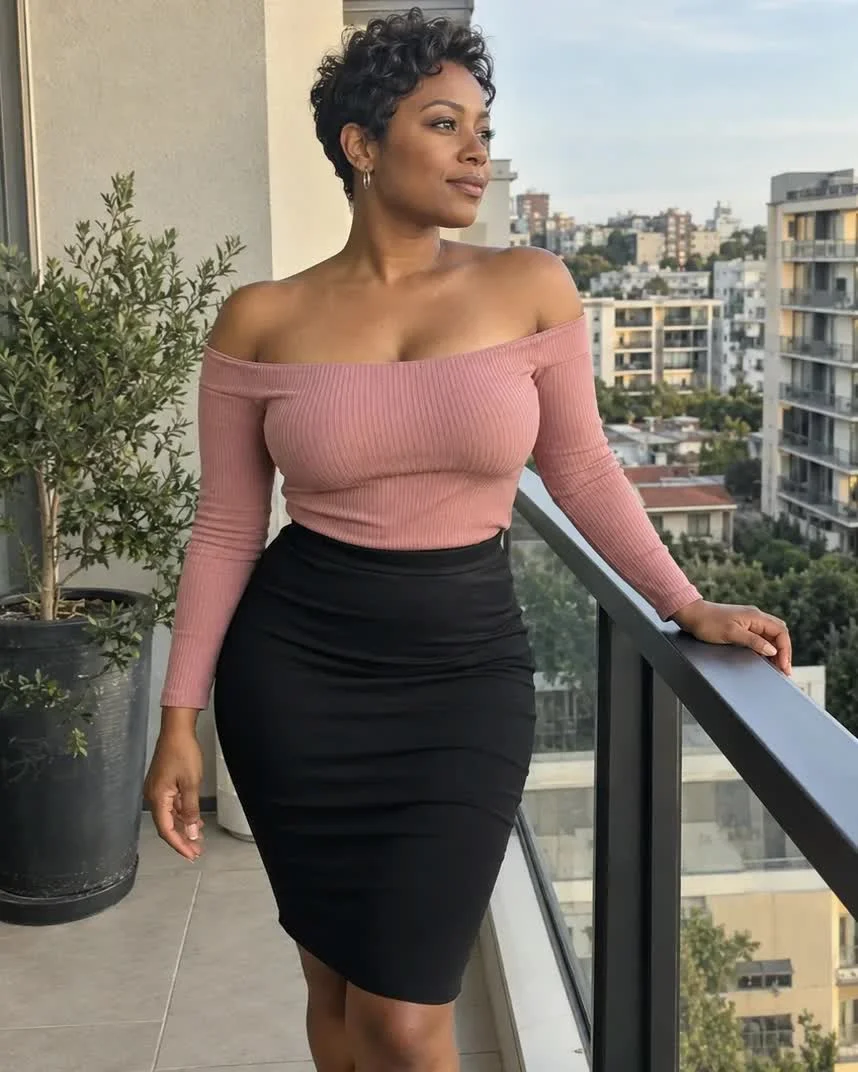
Terrace pause
A gentle turn toward the camera, followed by a glance aside, gives this terrace portrait a small story beat. The railing keeps the gesture easy to follow.
Compare the hand on the railing, the face and the background edges throughout the turn.
Creative prompt
 Checking example media…
Preserve the person, clothes and setting in the reference image. A gentle turn toward camera and one natural glance to the side. Slow, stable camera, subtle movements, no cuts.
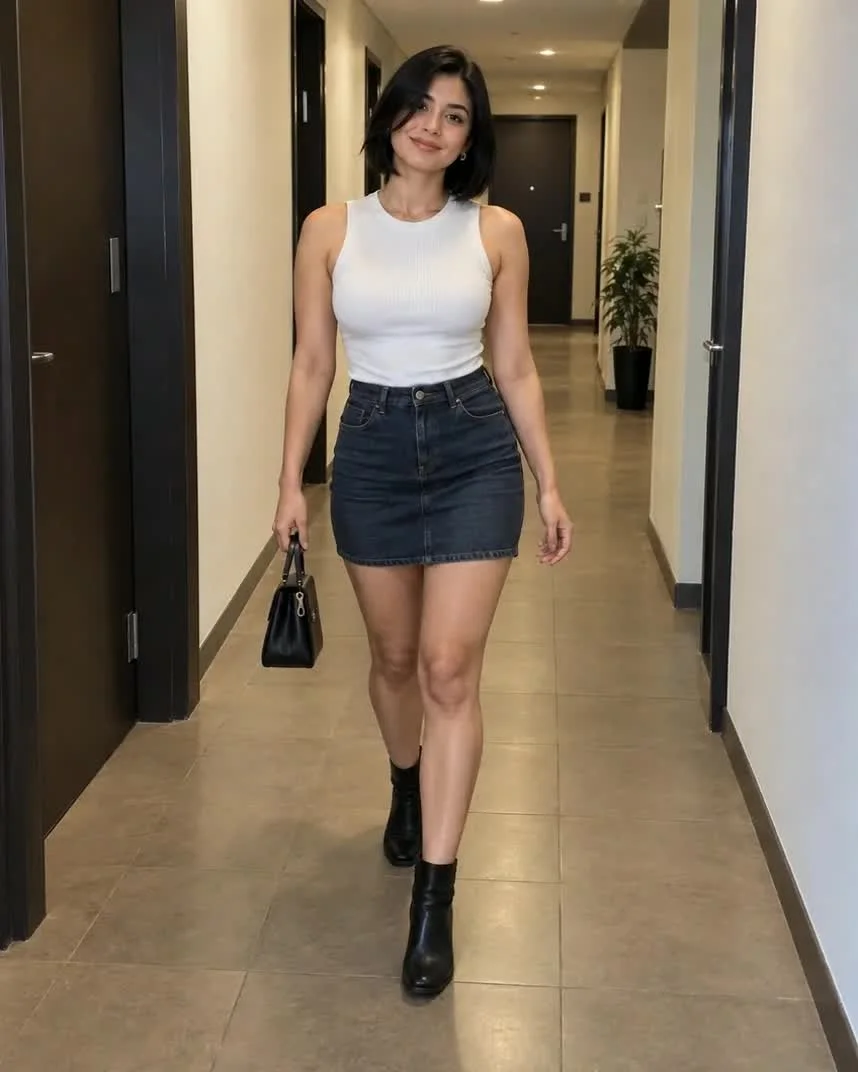
Corridor walk
A small step forward brings the corridor portrait to life. The camera stays still, leaving the handbag and straight doorframes visible for comparison.
Watch the stride, handbag and doorframes from the first frame to the last.
Creative prompt
 Checking example media…
Preserve the adult woman, her dark bob, white sleeveless top, denim skirt and handbag from the reference image. She takes one small relaxed step forward in the apartment corridor and gently looks toward the camera. Keep the doorframes straight, the handbag and both hands stable, locked camera, natural subtle movement, one continuous shot.
 Checking example media…
Elevator glance
A brief shoulder glance gives the portrait a clear endpoint. Keep mirrors simple and the body comfortably framed.
Review face, shoulder and reflection alignment.
Creative prompt
A candid phone photograph of a fictional 29-year-old adult woman in a fitted burgundy short-sleeve knee-length dress with a square neckline, small gold earrings and a slim shoulder bag, standing at a three-quarter angle in an ordinary elevator and glancing back, neutral overhead light and realistic mirror reflections.
 Checking example media…
A pause on the sofa
Begin with feet grounded. Here, a slow forward lean is easier to judge than sudden full-body movement.
Check knees, hands and sofa contact as movement begins.
Creative prompt
A fictional 30-year-old adult woman with a brunette bob seated upright near the edge of a lived-in apartment sofa, fitted sage-green long-sleeve ribbed knit top and high-waisted charcoal knee-length skirt, feet on the floor, hands resting beside her on the cushion, soft afternoon window light and candid framing.
 Checking example media…
Passenger-seat light
A parked car and side light create a close Dreemy AI composition around the face and shoulders.
Check the result for a stable seat outline and natural facial proportions.
Creative prompt
A fictional 32-year-old woman in a fitted charcoal ribbed top, sitting in the passenger seat of a parked car, soft late-afternoon light through the side window, relaxed expression, ordinary street outside, casual phone photograph.
 Checking example media…
Balcony afternoon
An off-shoulder knit and a simple balcony create a relaxed outfit study. Keep the railing behind the body and leave a little space above the head. For a Dreemy AI clip, let only the hair and the gaze move.
Check the Dreemy AI result for natural shoulders, straight railing lines and fabric that follows the pose.
Creative prompt
A fictional 29-year-old adult woman in a cream off-shoulder knit and fitted black shorts, leaning naturally on a small apartment balcony, ordinary neighboring buildings, soft afternoon daylight, casual phone photograph, realistic skin and fabric texture. She holds a mug beside the balcony railing.
Pick the right starting point
How much should be decided in the first frame? Start with the part of the story you can describe most precisely.
Text for a first concept
Write a short brief with an adult character, a place, and one prop that matters. On a rooftop, a folded letter can make the same skyline feel expectant.
Image for a settled composition
Use a frame with the character and prop already in view. With Wan 3.0 image-to-video, describe the change you want to see in that frame.
Let a small action carry the story
Give the clip one readable beat. A deliberate pause can tell more than several actions competing for the same shot.
Give the eyes a target
Try “looks toward the track lights.” A direction gives the viewer something to follow and helps you judge the performance.
Decide what the camera does
A steady camera draws attention to the face, while a slow approach gives the moment more weight. If the frame already conveys tension, keep the camera still.
Choose a world your character belongs in
The same face can tell a different story in a sunlit apartment, an illustrated city or a lantern-lit forest. Decide on the visual world before you build the scene.
An everyday world
Start with familiar textures: a cotton shirt, worn notebook and daylight from a window. These ordinary details give a new character a believable life, with room for a glance or a small gesture to carry the scene.
An illustrated world
Choose a clear silhouette, a limited palette and one expressive feature. Keep the background shapes simple enough to read beside the character, especially if the image will become a small avatar or a moving portrait.
A world with a little wonder
Give a fantasy scene one anchor, such as a traveller's cloak or a glowing shop window. Repeat its color in a nearby detail so the setting feels connected to the character rather than a collection of unrelated effects.
Review the shot at three moments
Pause on the first, middle, and final frame. You should be able to follow the movement without losing the details that tell the story.
Inspect the anchor object
Check that a letter, bag, or other prop stays recognizable before and after the gesture. If it changes shape, reduce the hand movement or adjust the composition.
Check the scene still agrees
Compare light and costume against the opening frame. If the clip wanders, shorten the action and ask for a single continuous shot.
From character brief to finished shot
Work in stages so each decision is easy to check before you move on.
- 1
Write the opening situation
Pick an adult character, a location, and one object that suggests what came before. Generate and review the still.
- 2
Direct the movement
Use the still in Video. Ask for one visible reaction, then add one camera move only if it helps tell the story.
- 3
Review and refine
Check the face, hands, and story object through the entire clip. Change the single instruction most likely to fix what you see.
Frequently asked questions
What can I make from a character idea?
Create a portrait from a description, refine an image with a reference, or direct a short video from a still or written scene. The image and video tabs keep these creative steps together.
Do I need a still before creating a video?
Video can start with a written shot. Start from an image when you want to choose the face, wardrobe, and framing before directing motion.
How many credits does a generation use?
The creator shows the current cost for your selected settings before you submit. Image and video generations are separate tasks.
Can I start with a character I have already designed?
Yes. Upload a supported character image and describe which visible details to preserve and what to change. Use the same image in Video when you want to animate the composition.
Make the first shot of your story
Choose a location and a moment the viewer can read in a few seconds. An editable example is ready to help you begin.